DRAFT
What building with AI taught me this week
Three decisions that looked small but changed the entire product…
LinkedIn content for people who'd rather be building
Draft thoughtful posts, create technical infographics and record videos — without turning content creation into your full-time job.
Built by an AI engineer who uses Postars to create her own LinkedIn content every week.
Three decisions that looked small but changed the entire product…
Speed is useful. Knowing where not to compromise is better…
Built for my own LinkedIn first
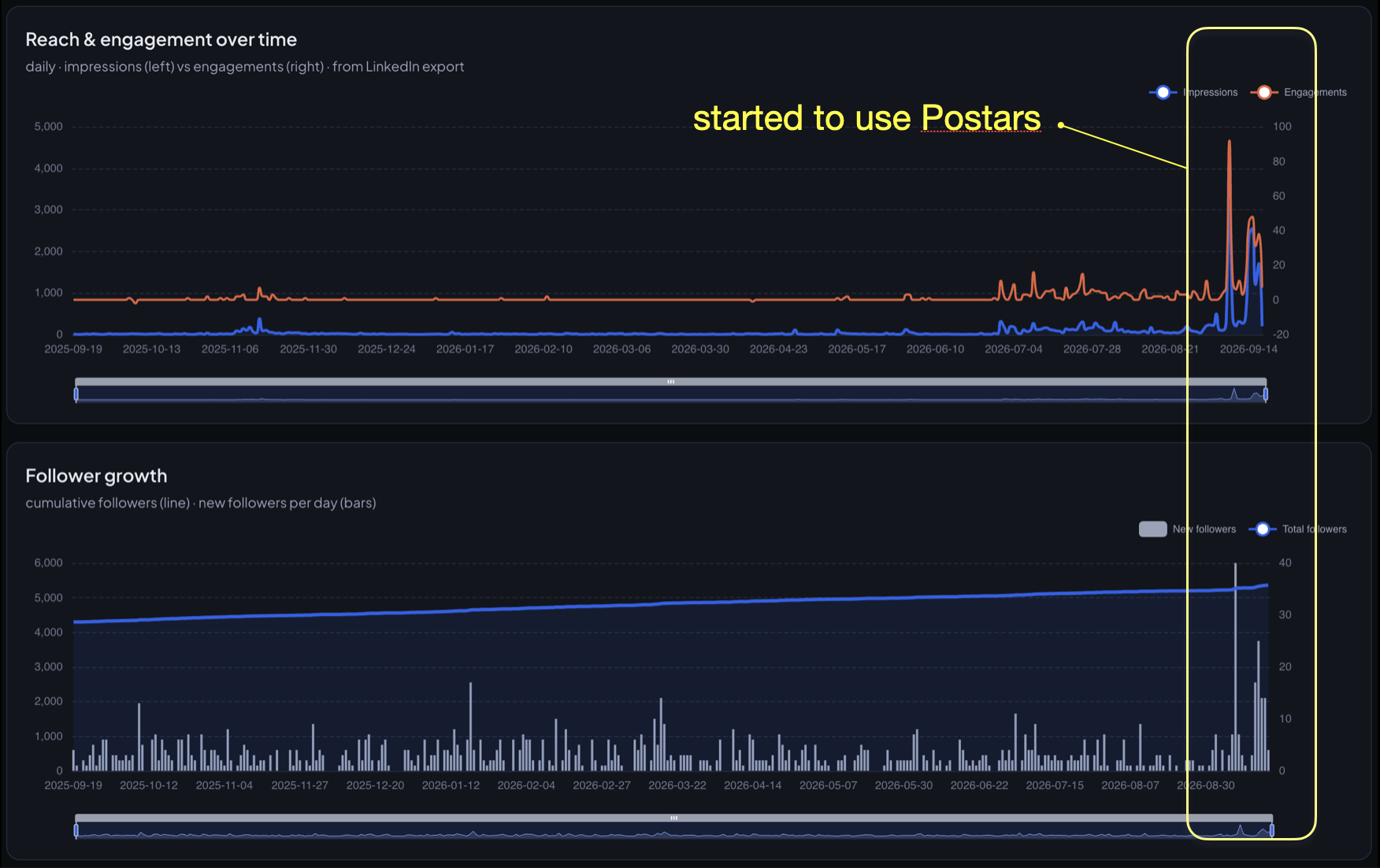
I built Postars because turning technical ideas into good LinkedIn content was taking too much time. Since September 2026 I've used it for my own drafting and infographics — and that coincided with a sharp change in my reach.
You already know things worth sharing. They're sitting in your head, your code, your presentations, notes, architecture diagrams and conversations. The hard part is turning that expertise into something people can quickly understand on LinkedIn.
The workflow
Not prompt → generic LinkedIn text. It's idea → content system. Each step keeps your expertise and point of view intact.
Start with a thought, a lesson, a technical concept or a rough note. Keep ideas, drafts and media in one place instead of scattered across tabs.
Turn it into a clear LinkedIn post while keeping your own expertise and voice. Draft yourself, or ask the Ghostwriter for a strong first version around your pillars, format and framework.
Create diagrams and infographics that make complex ideas easier to understand — generated from the post itself, then edited, downloaded and attached in place.
Connect LinkedIn once. Schedule on a calendar, publish automatically, then review what earned attention so the next idea starts with evidence.
Examples
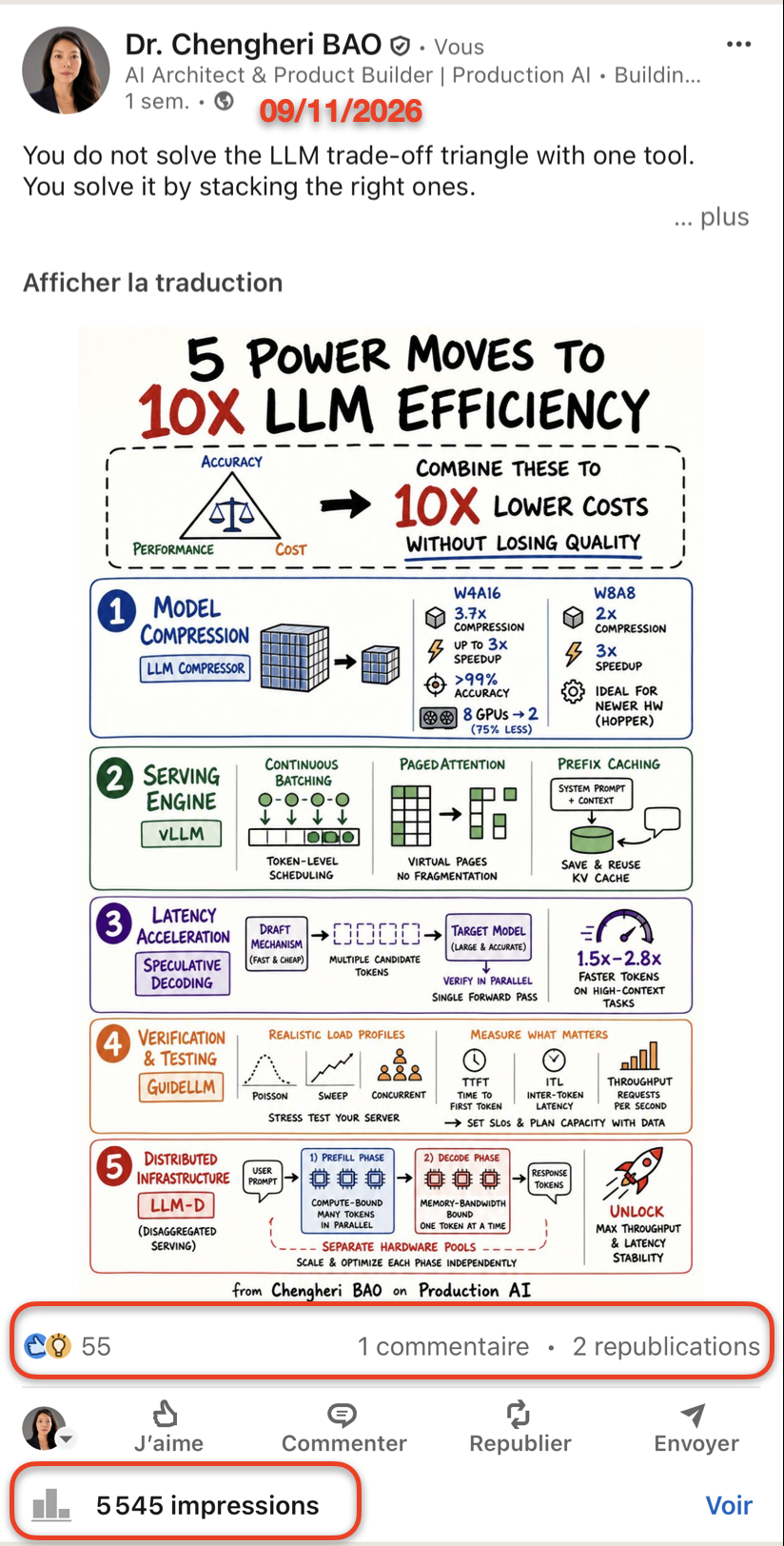
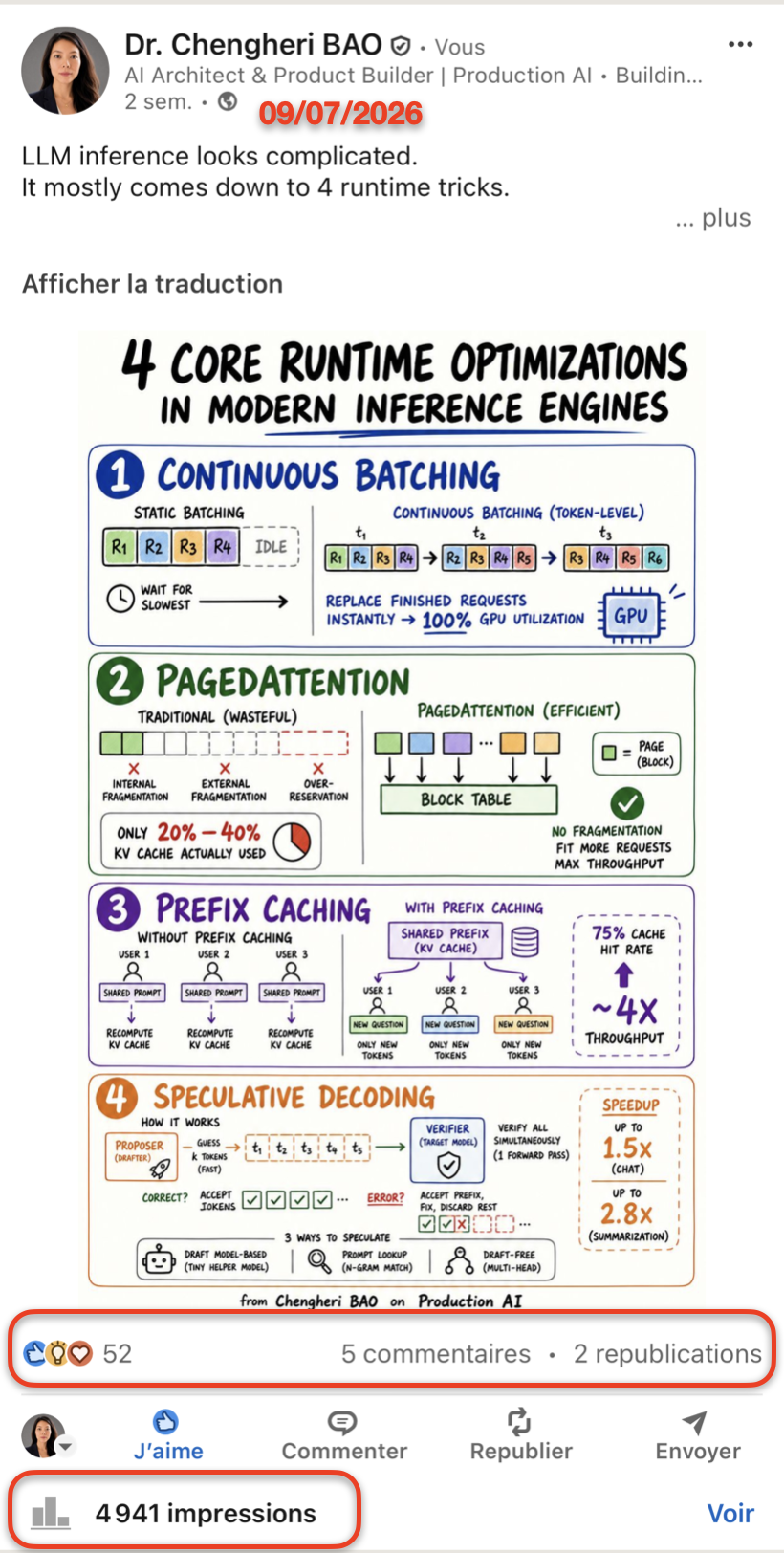
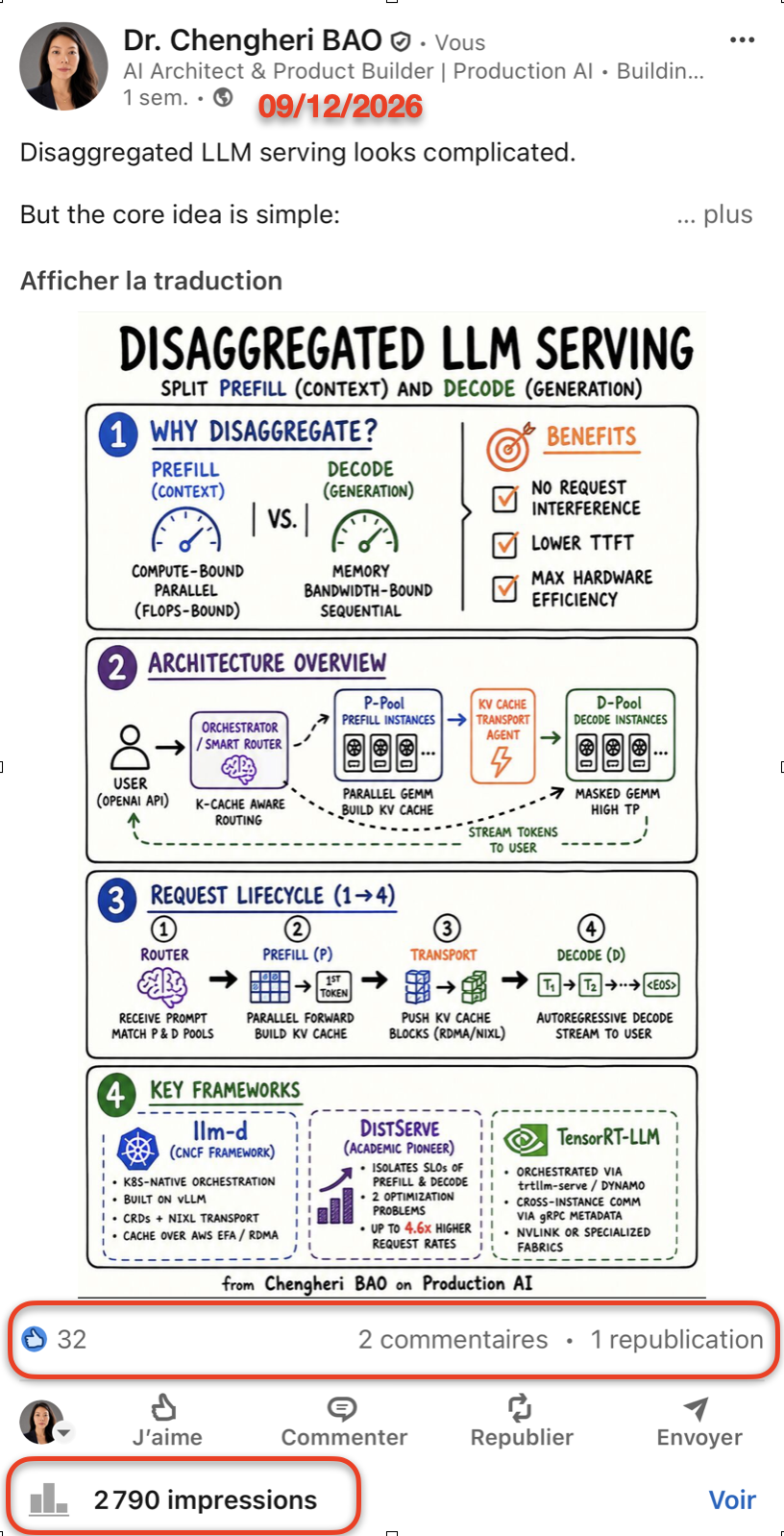
Visuals designed to explain concepts — architecture, systems, workflows and comparisons. Every post below was made with Postars and published to my own LinkedIn.
Positioning
Postars isn't designed to manufacture generic thought leadership or impersonate your voice. It helps people who already have expertise turn their thinking into clearer, more consistent content.
Who it's for
Explain what you're building and build authority around it — without hiring a content team.
Turn client experience and expertise into content that attracts the right people.
Make complex technical knowledge understandable without spending hours designing every post.

The founder
I'm an AI Architect and product builder. I had plenty to share about AI engineering, architecture and the products I was building. What I didn't have was the desire to spend hours turning every idea into a polished LinkedIn post and visual.
So I built the workflow I wanted. Postars started as my own tool — I still use it to create the content you see on my LinkedIn today.
See my LinkedIn →Wall of love
Pricing
Every feature is included. Posts are unlimited on both plans — the only difference is your monthly AI credits.
For building a steady weekly rhythm.
For creators who lean on AI every day.
7 days free on every plan · Cancel anytime during your trial
FAQ
No. Postars starts from your expertise, not a generic prompt, and produces a whole system — posts, technical infographics and video — instead of interchangeable text. AI is there to help you express what you already know.
Yes. Every example on this page was made with Postars for my own posts. Generate diagrams and infographics from the post itself, edit the source, preview, download and attach in place.
No. Connect your normal LinkedIn account once after signing up and Postars handles the publishing workflow.
Absolutely. AI is optional. The editor, formatting, media, calendar and publishing tools all work with your own writing.
Each AI writing action — generate, edit, check, analyse or adapt — uses one text credit, and each generated or edited image uses one image credit. Failed requests are refunded. Credits reset every billing cycle. Writing on your own, scheduling and publishing never use credits.
Expertise → distribution